
Name-Based Case Searches
Indiana MyCase is the public Odyssey search used for Fountain Circuit Court and Attica City Court. Select Name when the printed case number is unknown. A business may be entered by its filed name. For a person, start with the last name and add the first or middle name only as needed. A date of birth can narrow the search, but it does not display in public case details. The sounds-like option and wildcards help when spelling is uncertain. Broad searches may return too many matches, so the Fountain court filter matters.
- Open MyCase and choose the Name search mode.
- Enter the business name or a last name, then add given-name details.
- Select Fountain Circuit Court or Attica City Court and narrow by status or filing date.
- Compare the court, case type, filed date, and number before opening a summary.
| Field Label | Type | Required | Notes |
|---|---|---|---|
| Last or business name | Text | Yes | Use the filed spelling; wildcards are supported. |
| First and middle | Text | No | Add them to reduce common-name matches. |
| Court | Dropdown | No | Choose 23C01 or 23H01 for a local result set. |
| File Date From/To | Date | No | Either boundary may be used by itself. |
Two Fountain County Court Filters
Fountain County has two listed trial-court identifiers in Odyssey. Choose 23C01 for Fountain Circuit Court cases. Choose 23H01 for Attica City Court matters. Residence in Attica does not prove that a case belongs to the city court. The filing court shown on a notice or citation controls.
The split is easy to miss when MyCase remains on its statewide default. A county criminal, civil, small-claims, juvenile, estate, or traffic matter may sit under 23C01. A local Attica case may sit under 23H01. Confirm the court label on each result before relying on its date or status. The official Odyssey court list documents both Fountain identifiers and their participation in the state system.
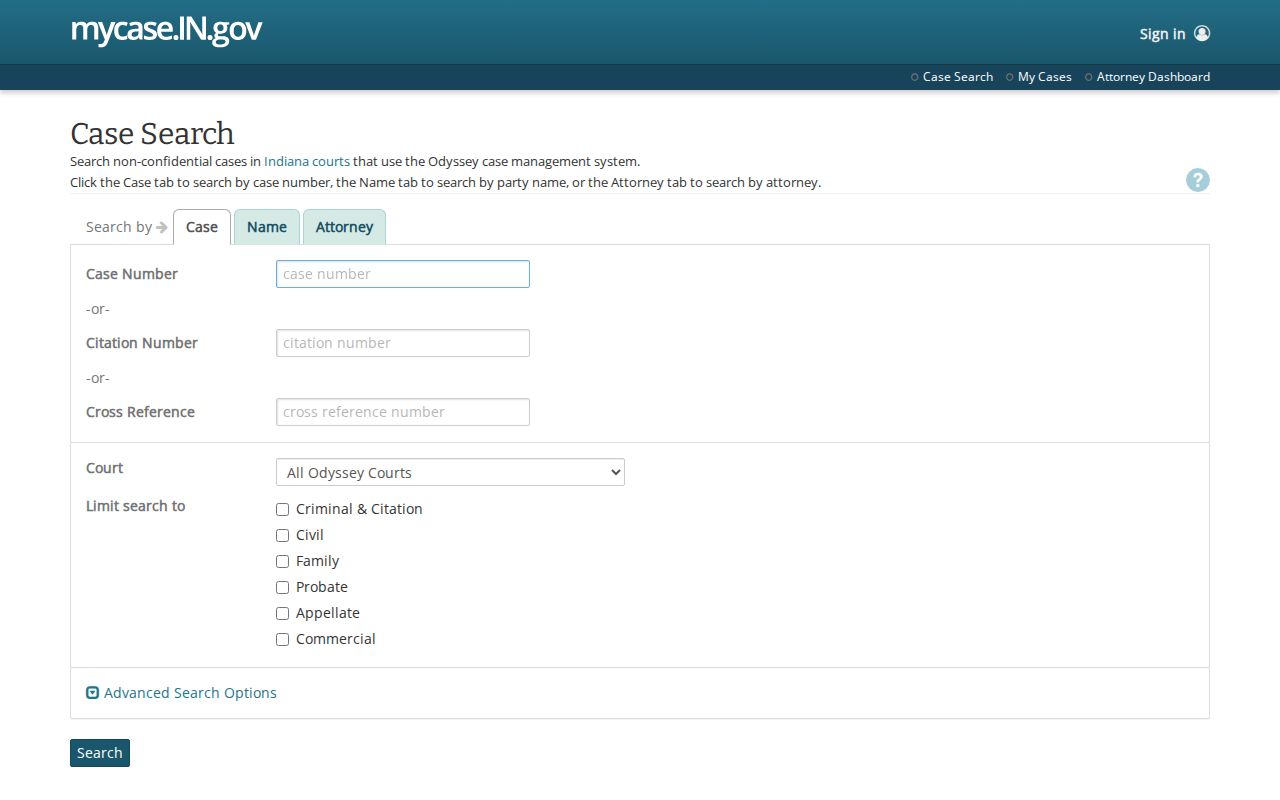
The public MyCase entry image below shows the correct statewide starting point. Its broad scope is useful, but a local court choice makes the Fountain County docket search much more precise.
Once the correct Fountain court is selected, use the fewest search fields that still separate the intended case from similar results.
When the result list contains several plausible cases, compare the court code, filing month, case type, and status before opening one. Do not use a shared name as the sole match. A filing date range is often safer than adding personal details, and it keeps the search tied to the known court event.
Case Number Searches
A county case number follows the uniform pattern 23C01-YYMM-TYPE-SEQUENCE. The first two digits identify Fountain County, C marks Circuit Court, and 01 is the court number. The next four digits give the filing year and month. The type code identifies the category, and the final sequence distinguishes the case. Attica City Court numbers begin with 23H01.
Choose Case in MyCase, then enter one case number, citation number, or cross-reference number. The search accepts a case number with or without hyphens and leading zeroes. Keep the printed form for any later clerk request because it reduces ambiguity. A transferred case may have more than one number, so follow the number history in the Chronological Case Summary or ask the clerk to connect the records.
Case type codes help confirm that the result fits the expected matter. Indiana uses distinct codes across criminal, civil, small-claims, estate, guardianship, juvenile, and infraction work. The code does not explain the facts or outcome. It sorts the file within the court system. Read the status and CCS events rather than drawing a conclusion from the code alone.
Fountain Docket Search Controls
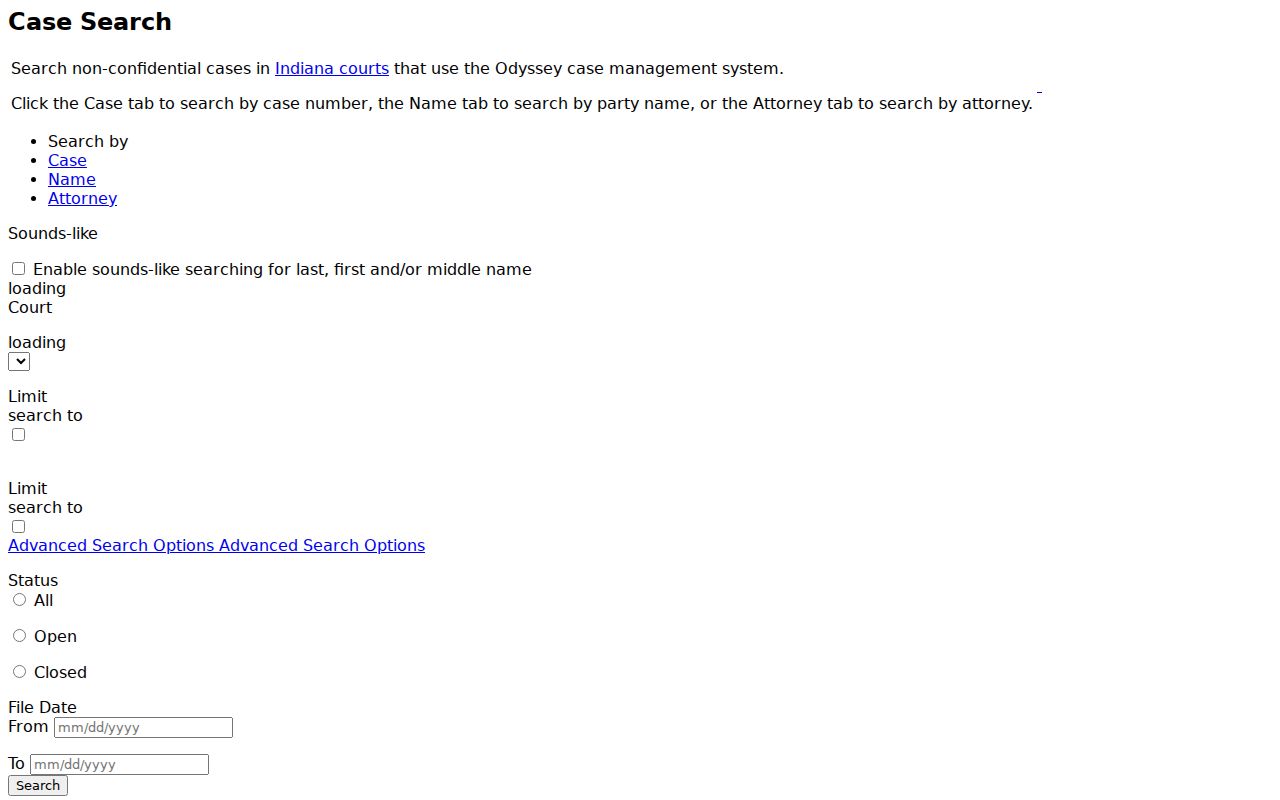
The official MyCase search interface offers Case, Name, and Attorney modes. Attorney mode accepts a bar number or attorney name. All three modes share a court selector and may expose case-type limits. Advanced options include All, Open, or Closed status and filing-date boundaries. “File date” means the case’s initial filing date, not the date of a later hearing or order.
The captured MyCase interface below makes the field order clear. It also shows why a searcher should decide on a mode before filling filters.
Use narrow filters in stages. Too many terms can hide a correct result, while a very broad attorney or name search can hit the portal’s 1,000-result cap.
Case Search Results Explained
A result first helps identify the court file. Opening it can reveal the case number, category, filing date, status, parties and roles, attorneys, hearing details, public financial lines, related identifiers, and Chronological Case Summary events. A CCS is Indiana’s official chronological index of judicial events. It is not the full text of every motion or order. The event date and entry date may differ, and a correction appears as a new entry instead of a silent rewrite.
Terms also need care. “Filed” means the clerk accepted an item; it does not prove its claims. “Motion” means someone asked the court to act. “Order” is the court’s direction, and the full signed order controls. “Continued” or “reset” means the setting moved, so locate the next date. “Closed” describes system status but may not explain every later duty or result.
| Case number | Court, filing period, type code, and sequence. |
|---|---|
| Caption and roles | The filed case title and public party roles. |
| Case type | The Indiana category code for the matter. |
| CCS events | Dated summaries of filings, settings, and court action. |
| Status | Open or closed case-management state, not a finding on the merits. |
When Fountain Documents Stay Offline
Official MyCase search tips warn that older and converted information may be incomplete. A missing document link does not prove that no document exists. It may mean public online access is unavailable for that filing, the case predates full electronic document access, or the clerk holds the item in another form.
The right fallback is the Fountain County Clerk of Courts. Note the case number and exact CCS date, then ask whether inspection, a plain copy, or a certified copy is available. For the full request route, see the Fountain County court case records guidance.
Two Ways to Search: County and State
Fountain County does not publish a separate county case-search database. MyCase is both the statewide public layer and the practical county search once 23C01 or 23H01 is selected. The local clerk is not a rival portal. It is the official-record fallback for missing documents, certified copies, current balances, older information, and access questions that a public screen cannot settle.
Phone and counter help remain important access channels. For county records, the Fountain County Clerk’s local number is 765-793-6230 at 301 4th Street in Covington; the state directory lists PO Box 183 and 765-793-2192. Attica City Court can be reached at 765-762-2467. Give staff the full case number and entry date when possible.
| MyCase public layer | Fountain clerk record |
|---|---|
| Participating Odyssey courts statewide | Official file for Fountain Circuit Court matters |
| Public CCS data and permitted links | Available official documents and copy products |
| Best first step for name or number lookup | Best when a link is missing or certification is needed |
Odyssey Coverage in Fountain County
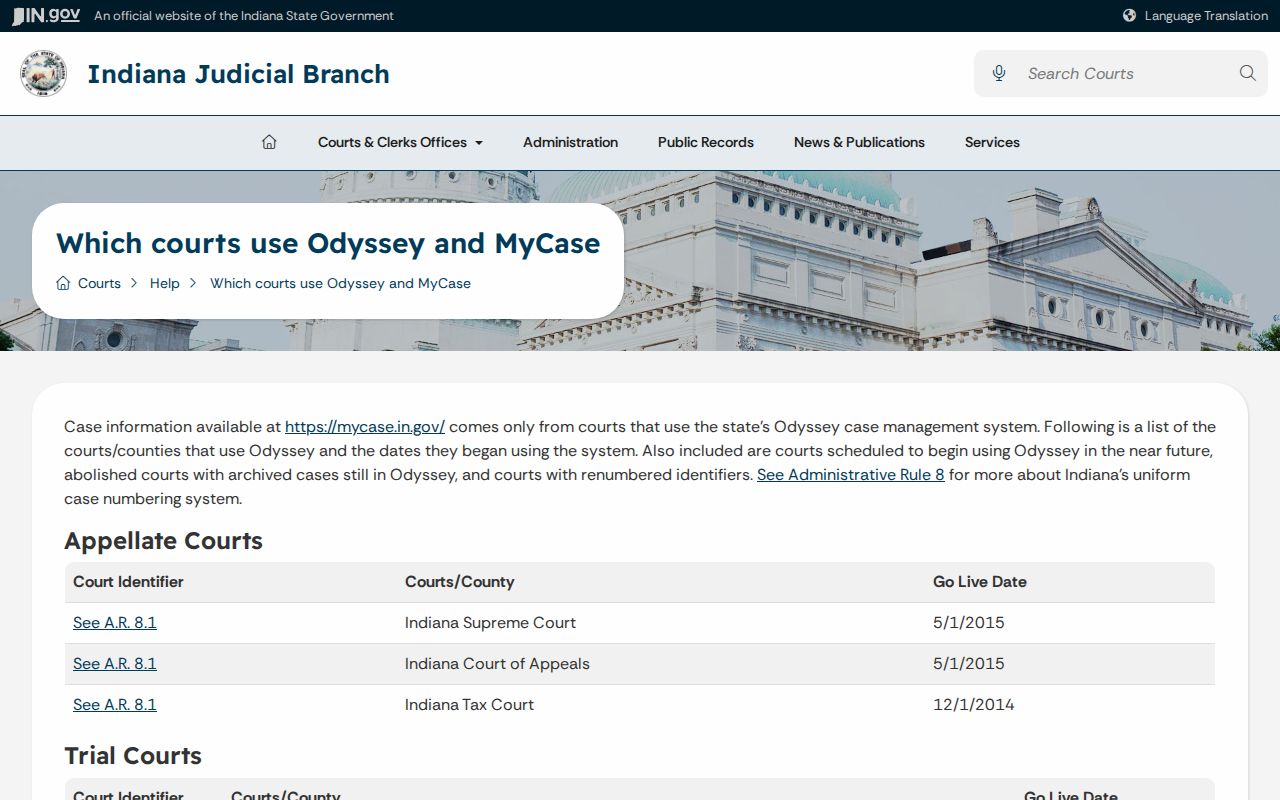
Fountain Circuit Court joined Odyssey on June 1, 2015. Attica City Court joined on October 15, 2012. This history explains why an older case may contain converted events or fewer linked documents than a newer case. MyCase is a read-only public layer over Odyssey, while the clerk maintains the official court record.
The state Odyssey coverage page records those local go-live dates. The image below shows the court-coverage source used to distinguish the county and city systems.
A portal outage, maintenance window, captcha, or converted record can affect the view. None changes which local court owns the file.
Which Cases Stay Restricted
MyCase shows non-confidential Odyssey case information. Indiana access rules exclude or limit categories such as adoption, juvenile, mental-health, certain protection-order information, granted expungements, sealed material, treatment records, and protected personal identifiers. A public case may still contain one filing with no public link. An exclusion indicator can show that a record exists without exposing its contents.
A no-result search does not prove that no filing exists. The matter may be confidential, sealed, expunged, outside Odyssey coverage, or not yet processed. Indiana Access Rule 9 generally requires a verified written request, notice, possible hearing, and a written court order for access to excluded material. Contact the clerk about the proper process and never try to bypass a restriction through cached or unofficial copies.
Online case information is not the official record. Official records come from the court that maintains the file.